Print Your Moments, Perfectly.
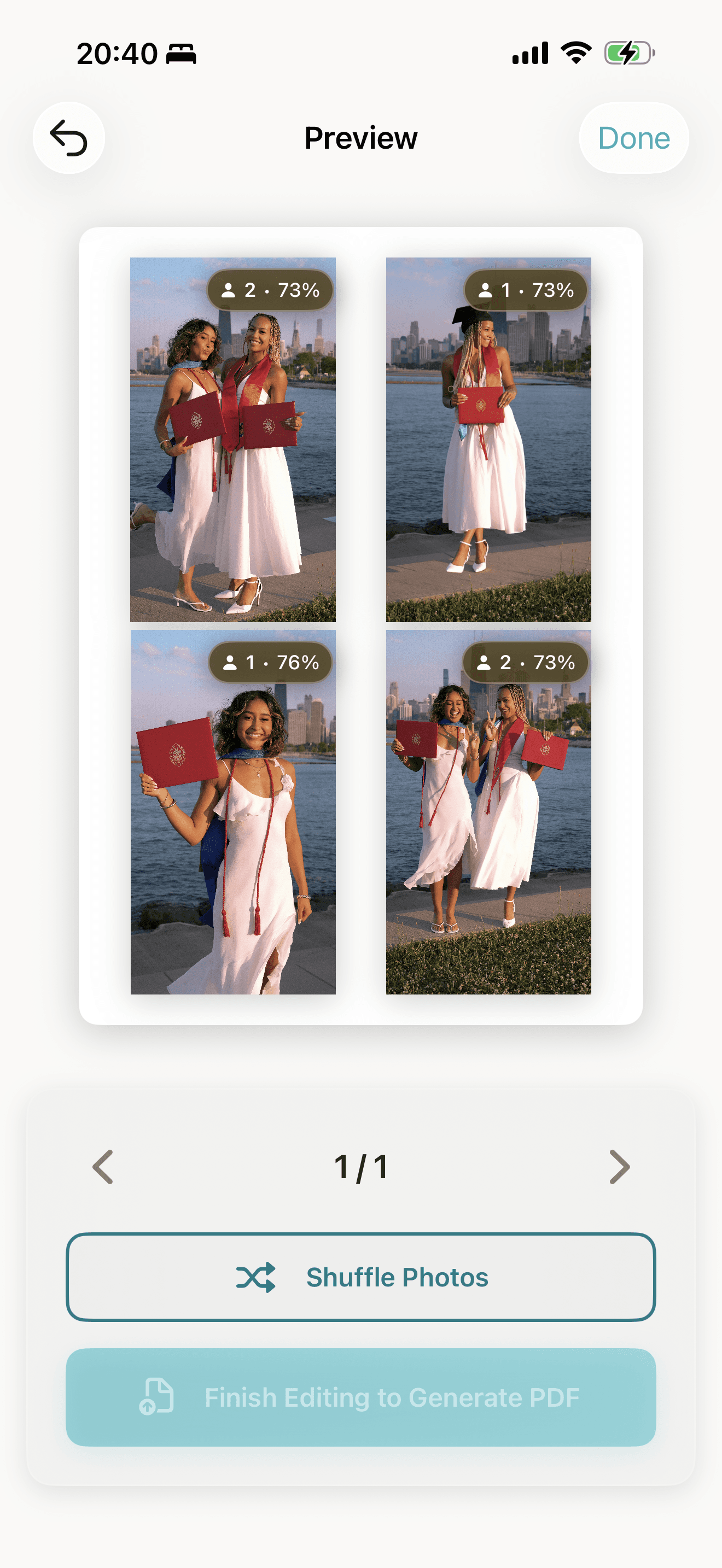
Create stunning A4 photo layouts in seconds. AI detects people to ensure faces are never cropped. Move, resize, rotate, and crop — then export print-ready PDFs with one tap.

Key features
- AI Person Detection
- Move, Resize & Crop
- Diagonal, Grid & Overlap Layouts
- Print-Ready PDFs
Everything you need for perfect prints. Try it yourself.
Printora was built for parents, event organizers, and anyone who wants to turn their photos into beautiful printed memories without the hassle of manual layout work.
AI-Powered Person Detection
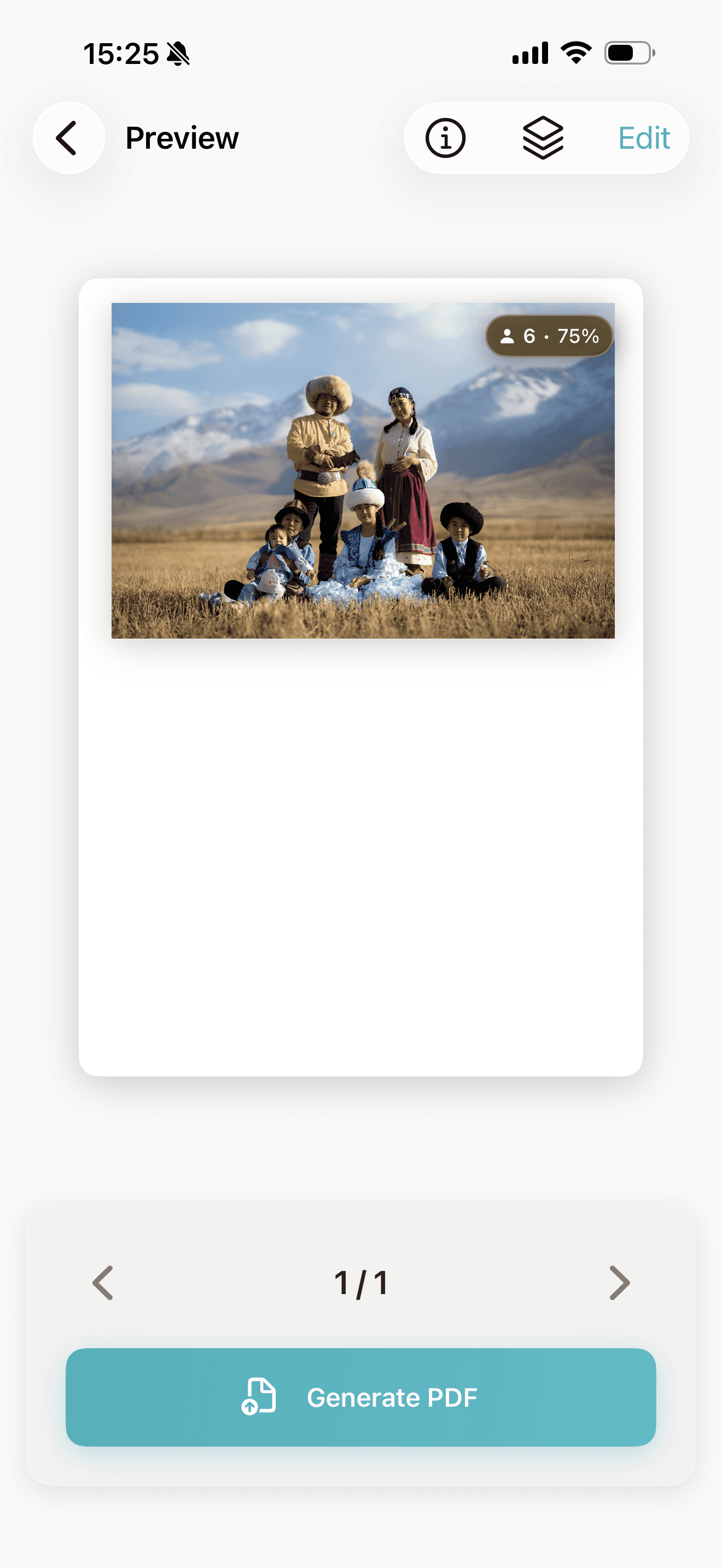
Vision AI automatically detects people and faces in your photos. See exactly how detection works with live confidence previews — adjust sensitivity and watch results update in real time.
Full Photo Editing Suite
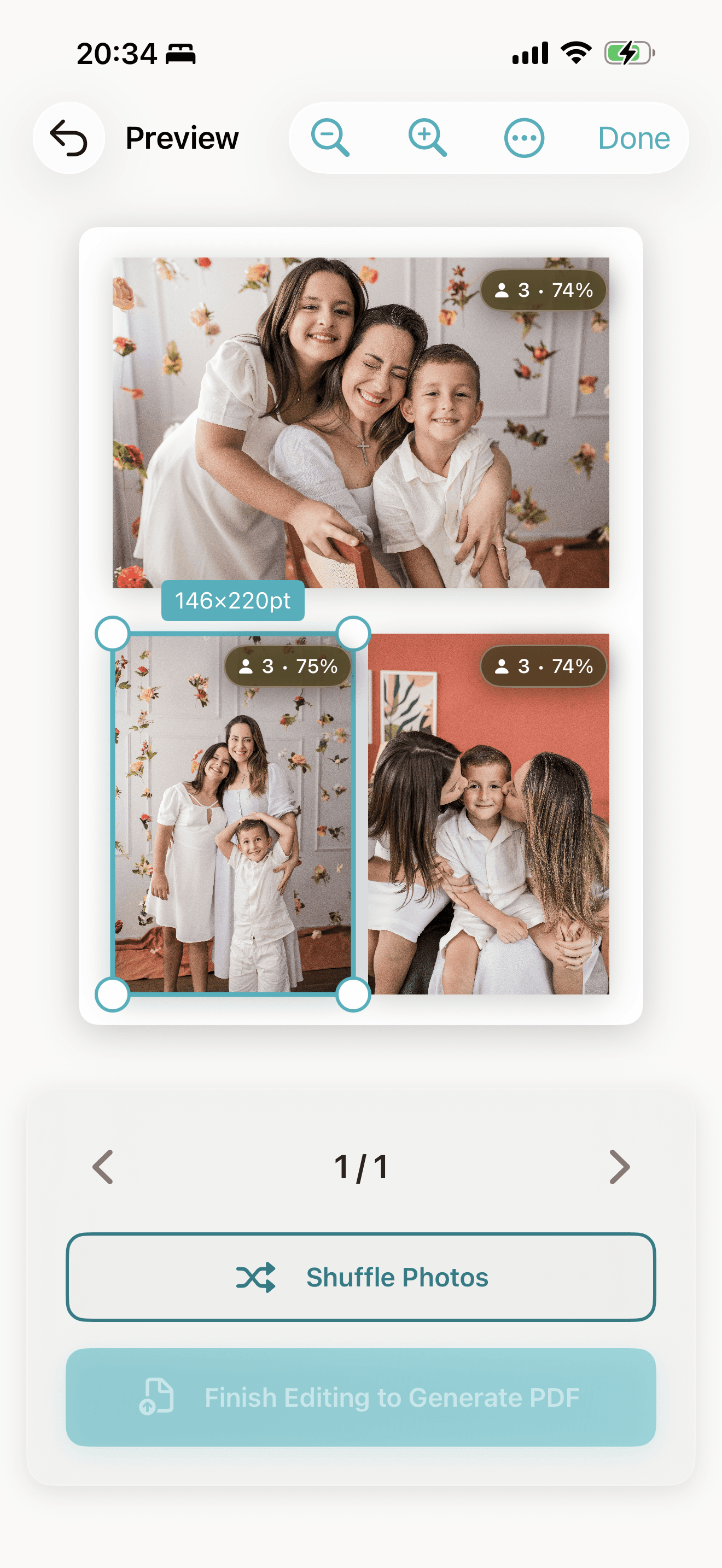
Move, resize, rotate, and crop any photo. Intelligent resize automatically adjusts other photos to fit. Fine-tune every detail before printing.

Print-Ready in One Tap
Export 300 DPI PDFs optimized for A4 paper. Choose diagonal, grid, or overlap layouts for your perfect style.
Powerful features, simple experience.
From automatic photo organization to professional-grade output, Printora handles the complexity so you can focus on your memories.
Intelligent Crop & Resize
Crop any photo with precision using 8-handle controls. Resize one photo and others auto-adjust to fit perfectly.
Three Layout Modes
Switch between diagonal (magazine-style), grid (traditional), and overlap layouts on a per-page basis.
Transparent AI
See exactly how detection works. Live previews show which photos detect people at your chosen sensitivity — with color coding and blur effects that make confidence scores intuitive.
EXIF-Based Organization
Photos auto-sort by location and time. Same-location shots stay together for natural storytelling.
Privacy First
All photo processing happens on your device. Your photos never leave your phone.
Project Management
Save your layouts and come back anytime to edit or reprint. Set per-project detection sensitivity with custom override badges so you always know which settings are in use.
Simple pricing for everyone.
Start free and upgrade when you need more. No hidden fees, no surprises.
Free
$0
Try Printora and create beautiful layouts for your photos.
- Unlimited, watermarked PDFs
- Diagonal, grid & overlap modes
- A4 PDF export
Premium
$4.99/mo
Unlimited layouts with no watermarks. Save 58% with yearly.
- Unlimited layouts
- No watermarks
- All layout modes
- Priority support
- Project management
Lifetime
$59.99
One-time purchase. All Premium features forever.
- Everything in Premium
- One-time payment
- Lifetime updates
- No recurring fees
Frequently asked questions
If you have anything else you want to ask, reach out to us.
What makes Printora different from other photo apps?
Printora is specifically designed for A4 printing, not social media. Our AI automatically detects people in photos and creates layouts that ensure faces are never cropped or awkwardly positioned.
How does the person detection work?
We use Apple's Vision Framework to detect faces and people in your photos, entirely on your device. You can adjust detection sensitivity and see live previews showing exactly which confidence levels are detected vs. filtered out — so you always understand why a photo was or wasn't detected.
What are the different layout modes?
Diagonal layouts create a dynamic, magazine-style look with photos at angles. Grid layouts are traditional, symmetrical arrangements. Overlap layouts layer photos for a modern collage effect. You can switch between them for each page.
Can I print at home or do I need a professional printer?
Both! Printora generates 300 DPI PDFs optimized for A4 paper that work great on home printers and professional photo labs alike.
How many photos can I put on one page?
Up to 4 photos per page. This ensures each photo maintains good print quality and faces remain clearly visible. Single landscape photos can fill an entire page.
Do my photos leave my device?
Never. All photo processing, face detection, and layout generation happens locally on your iPhone. We take your privacy seriously.
What iOS version do I need?
Printora requires iOS 26.1 or later to take advantage of the latest Vision Framework features and Liquid Glass design language.
Can I save and edit my layouts later?
Yes! All your layouts are saved as projects. You can open them anytime to make changes, add photos, or reprint.
How does the smart photo sorting work?
Printora reads the EXIF data from your photos to automatically group them by location and time. Photos from the same event or place stay together for natural storytelling.